Calculator´3.6.3
Publisher Description

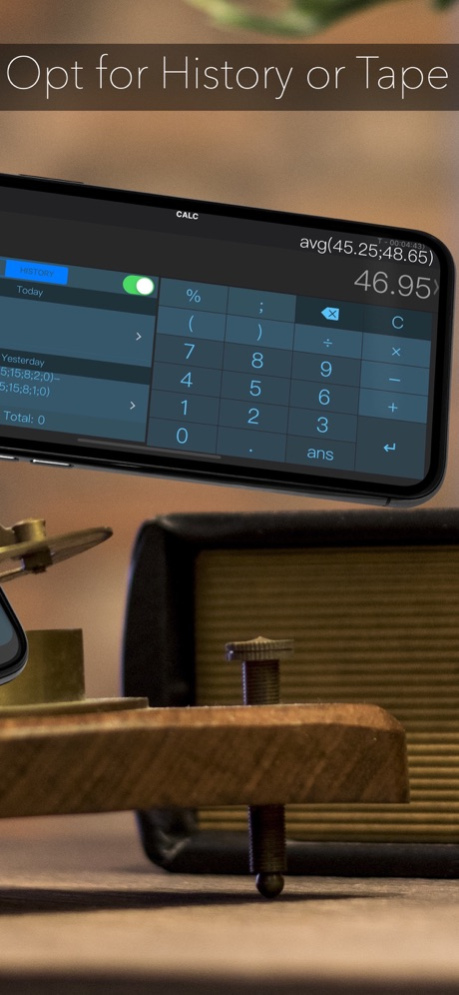
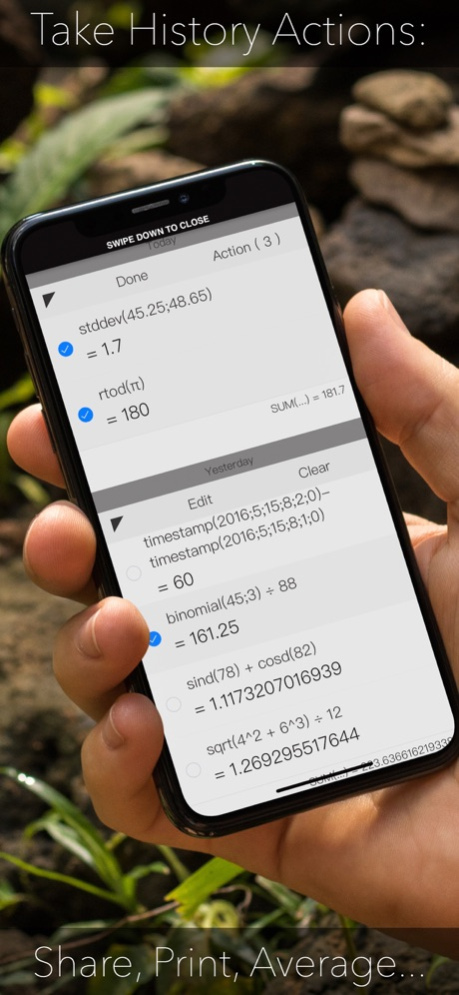
Stop your math time-wasting today with this app! Designed to help you zip through your daily math in a swift of your own unique style ;-)
* LOVED by thousands for its smart UI with Live results & Natural feel
Now featuring user-definable advanced Functions that you can Share easily with other Calculator users and optimizations with iPad multitasking, 3D Touch shortcuts, Expandable Widget, Spotlight searching of History + watchOS native App with haptic.
Calculator is super intelligent, multi-functional scientific calculator that makes doing math look like art. It has built-in on-screen timer, notif. center Widget, Custom Keyboard, many pre-set functions like Date-time and Base computations and limitless combination of colors, fonts, shapes and sizes.
It features standard basic & scientific calculator functions, history log, and an elegant user interface. The quick timer is designed to help your track remaining mins:secs whenever you are on schedule.
It is really clever.
It can do live math expressions: from the simplest like "1+2" to more advanced expressions like "3+(3x9(80+sin(90)))"
Advanced calculator.
By swiping left and right on the app, you can easily access over 50+ advanced math functions.
History log.
Calculator remembers what you have calculated. Swipe up, and you can see all your previous calculations.
Colorful Themes.
Limitless lovely themes for you to browse, including optional parallax background image of your choice!
Easy access.
Tap & Hold a math expression to edit it. Shake your device to undo
Tap & Hold a number key for smart parenthesis
Tap & Hold the decimal point for RANDOM decimal
Tap & Hold the “ans” key for answer history
Tap & Hold the “÷” key for 1/x
Tap & Hold the “-” key to negate
Text style Edit option for Expressions
Tapping sound options
An In-App purchase is ready if you decide to add the Converter and Basic Graphing!
Terms of Service & Privacy Policy: https://oval.fi/privacy-calculator
Subscription Terms
The subscription auto-renews at the end of each term.
Payment will be charged to iTunes Account at confirmation of purchase.
The subscription automatically renews unless auto-renew is turned off at least 24-hours before the end of the current period.
Account will be charged for renewal within 24-hours prior to the end of the current period.
You may manage your subscription and turn off auto-renewal by going to your Account Settings after purchase.
Any unused portion of a free trial period will be forfeited if you purchase a subscription.
Instructions on how to cancel a subscription can be found at the following link: https://support.apple.com/en-us/HT202039.
Version History This app has been updated by Apple to prepare for watchOS 27 compatibility. No new features are included.
Bug fixes & improvements 3.6.3 04/01/2024 Bug fixes & improvements 3.6.2 03/22/2024 Bug fixes & improvements 3.6.1 03/19/2024 Bug fixes & improvements 3.6 02/13/2024 Minor adjustments. 3.5.56 01/25/2024 Fixed issue with iPhone 15 Advanced functions 3.5.55 01/23/2024 Fixed older iOS versions issue with latest fix for attached Keyboard Delete keys issue & allowed for resizing on iPads / Macs to a Portrait format! 3.5.51 12/04/2023 Fixed attached Keyboard Delete keys issue & allowed for resizing on iPads / Macs to a Portrait format! 3.5.50 12/03/2023 Squished some bugs! 3.5.48 09/25/2023 Fix for iPhone Landscape mode. 3.5.46 07/12/2023 Fix for imaginary square roots. 3.5.45 03/23/2023 Just a bug fix 3.5.44 12/22/2022 Annoying precision engine bug fix! 3.5.43 11/29/2022 Just a couple minor bug fixes! 3.5.42 11/09/2022 Fixed top input line horizontal scrolling bug
Fix for Pencil toolbar in multitasking
Fixes for new iPad resolutions 3.5.40 05/03/2022 Adjustment for iPhone history Swipe up gesture
Fix for iPad answer tap gesture 3.5.39 05/12/2021 Fix for Zoomed Mode 3.5.38 03/07/2021 Now clearing answer whenever syntax gets erroneous.
Framework update 3.5.37 02/17/2021 iPhone 12 bug fixes 3.5.36 11/23/2020 iPhone 12 support 3.5.35 10/21/2020 Fixes and tuneups. 3.5.34 09/18/2020 CALC Swift is now Subscription based Freemium App. 3.5.33 09/11/2020 Widget history improvements
Widget auto-clear settings sync with main app 3.5.32 08/14/2020 - Fix for International Input formatting while Editing
Your Feedback = Your App :-) TY 3.5.31 07/09/2020 - Fixed Input formatting while Editing issue
Your Feedback = Your App :-) TY 3.5.30 07/07/2020
About Calculator´
The company that develops Calculator´ is Oval Software Oy. The latest version released by its developer is 3.6.3. This app was rated by 4 users of our site and has an average rating of 2.8.
To install Calculator´ on your iOS device, just click the green Continue To App button above to start the installation process. The app is listed on our website since 2026-10-06 and was downloaded 56 times. We have already checked if the download link is safe, however for your own protection we recommend that you scan the downloaded app with your antivirus. Your antivirus may detect the Calculator´ as malware if the download link is broken.
How to install Calculator´ on your iOS device:
- Click on the Continue To App button on our website. This will redirect you to the App Store.
- Once the Calculator´ is shown in the iTunes listing of your iOS device, you can start its download and installation. Tap on the GET button to the right of the app to start downloading it.
- If you are not logged-in the iOS appstore app, you'll be prompted for your your Apple ID and/or password.
- After Calculator´ is downloaded, you'll see an INSTALL button to the right. Tap on it to start the actual installation of the iOS app.
- Once installation is finished you can tap on the OPEN button to start it. Its icon will also be added to your device home screen.
Program Details
System requirements
Download information
Pricing
Version History
version 3.6.3
posted on 2026-10-06
Version History This app has been updated by Apple to prepare for watchOS 27 compatibility. No new features are included.
Bug fixes & improvements 3.6.3 04/01/2024 Bug fixes & improvements 3.6.2 03/22/2024 Bug fixes & improvements 3.6.1 03/19/2024 Bug fixes & improvements 3.6 02/13/2024 Minor adjustments. 3.5.56 01/25/2024 Fixed issue with iPhone 15 Advanced functions 3.5.55 01/23/2024 Fixed older iOS versions issue with latest fix for attached Keyboard Delete keys issue & allowed for resizing on iPads / Macs to a Portrait format! 3.5.51 12/04/2023 Fixed attached Keyboard Delete keys issue & allowed for resizing on iPads / Macs to a Portrait format! 3.5.50 12/03/2023 Squished some bugs! 3.5.48 09/25/2023 Fix for iPhone Landscape mode. 3.5.46 07/12/2023 Fix for imaginary square roots. 3.5.45 03/23/2023 Just a bug fix 3.5.44 12/22/2022 Annoying precision engine bug fix! 3.5.43 11/29/2022 Just a couple minor bug fixes! 3.5.42 11/09/2022 Fixed top input line horizontal scrolling bug
Fix for Pencil toolbar in multitasking
Fixes for new iPad resolutions 3.5.40 05/03/2022 Adjustment for iPhone history Swipe up gesture
Fix for iPad answer tap gesture 3.5.39 05/12/2021 Fix for Zoomed Mode 3.5.38 03/07/2021 Now clearing answer whenever syntax gets erroneous.
Framework update 3.5.37 02/17/2021 iPhone 12 bug fixes 3.5.36 11/23/2020 iPhone 12 support 3.5.35 10/21/2020 Fixes and tuneups. 3.5.34 09/18/2020 CALC Swift is now Subscription based Freemium App. 3.5.33 09/11/2020 Widget history improvements
Widget auto-clear settings sync with main app 3.5.32 08/14/2020 - Fix for International Input formatting while Editing
Your Feedback = Your App :-) TY 3.5.31 07/09/2020 - Fixed Input formatting while Editing issue
Your Feedback = Your App :-) TY 3.5.30 07/07/2020
version 3.6.3
posted on 2026-08-23
Version History Bug fixes & improvements 3.6.3 04/01/2024 Bug fixes & improvements 3.6.2 03/22/2024 Bug fixes & improvements 3.6.1 03/19/2024 Bug fixes & improvements 3.6 02/13/2024 Minor adjustments. 3.5.56 01/25/2024 Fixed issue with iPhone 15 Advanced functions 3.5.55 01/23/2024 Fixed older iOS versions issue with latest fix for attached Keyboard Delete keys issue & allowed for resizing on iPads / Macs to a Portrait format! 3.5.51 12/04/2023 Fixed attached Keyboard Delete keys issue & allowed for resizing on iPads / Macs to a Portrait format! 3.5.50 12/03/2023 Squished some bugs! 3.5.48 09/25/2023 Fix for iPhone Landscape mode. 3.5.46 07/12/2023 Fix for imaginary square roots. 3.5.45 03/23/2023 Just a bug fix 3.5.44 12/22/2022 Annoying precision engine bug fix! 3.5.43 11/29/2022 Just a couple minor bug fixes! 3.5.42 11/09/2022 Fixed top input line horizontal scrolling bug
Fix for Pencil toolbar in multitasking
Fixes for new iPad resolutions 3.5.40 05/03/2022 Adjustment for iPhone history Swipe up gesture
Fix for iPad answer tap gesture 3.5.39 05/12/2021 Fix for Zoomed Mode 3.5.38 03/07/2021 Now clearing answer whenever syntax gets erroneous.
Framework update 3.5.37 02/17/2021 iPhone 12 bug fixes 3.5.36 11/23/2020 iPhone 12 support 3.5.35 10/21/2020 Fixes and tuneups. 3.5.34 09/18/2020 CALC Swift is now Subscription based Freemium App. 3.5.33 09/11/2020 Widget history improvements
Widget auto-clear settings sync with main app 3.5.32 08/14/2020 - Fix for International Input formatting while Editing
Your Feedback = Your App :-) TY 3.5.31 07/09/2020 - Fixed Input formatting while Editing issue
Your Feedback = Your App :-) TY 3.5.30 07/07/2020
version 3.6.3
posted on 2024-04-01
Bug fixes & improvements
version 3.6.3
posted on 2024-04-01
Apr 1, 2024
Version 3.6.3
Bug fixes & improvements
version 3.5.46
posted on 2023-07-12
Jul 12, 2023
Version 3.5.46
Fix for iPhone Landscape mode.
version 3.5.45
posted on 2023-03-23
Mar 23, 2023
Version 3.5.45
Fix for imaginary square roots.
version 3.5.40
posted on 2022-05-03
May 3, 2022 Version 3.5.40
Fixed top input line horizontal scrolling bug
Fix for Pencil toolbar in multitasking
Fixes for new iPad resolutions
version 3.5.39
posted on 2021-05-12
May 12, 2021 Version 3.5.39
Adjustment for iPhone history Swipe up gesture
Fix for iPad answer tap gesture
version 3.5.38
posted on 2021-03-07
7 Mar 2021 Version 3.5.38
Fix for Zoomed Mode
version 3.5.38
posted on 2021-03-07
Mar 7, 2021 Version 3.5.38
Fix for Zoomed Mode
